The Fundamentals of Raytracing:
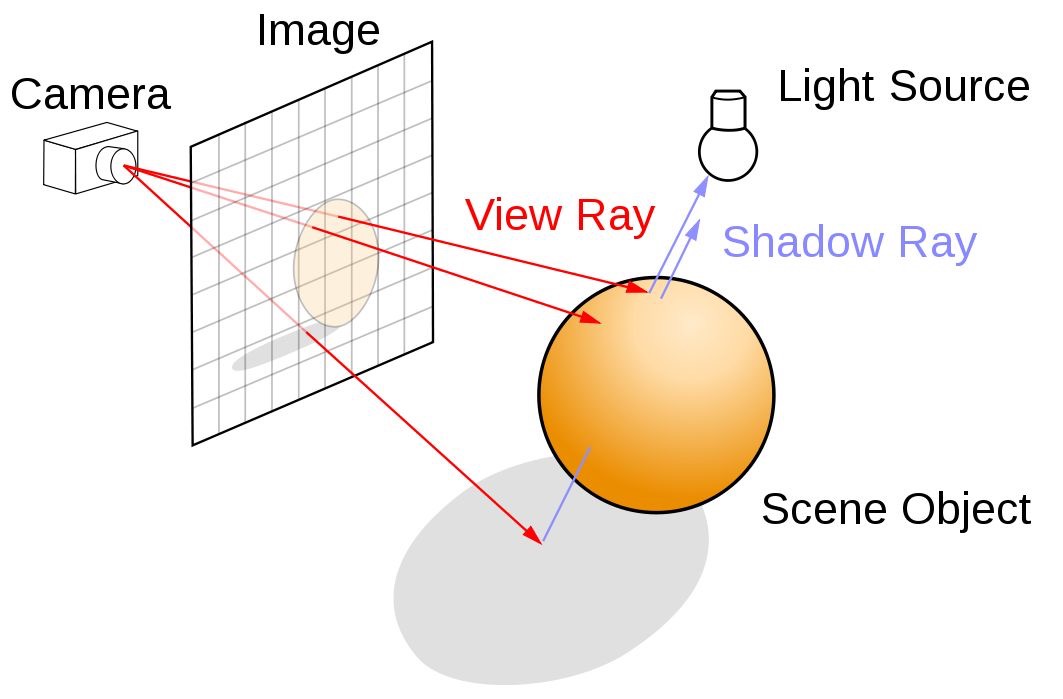
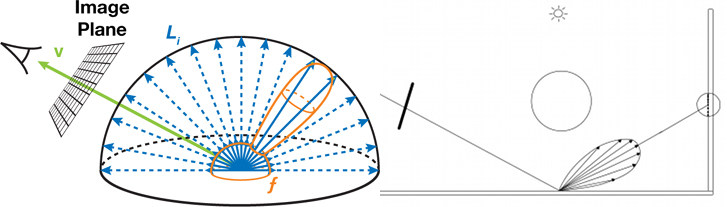
While standard mesh rendering has no context of any other mesh around it, raytracing works by recreating the scene in an environment that raytracing understands. Then from the camera, for each pixel on the screen, we shoot a ray (a line) and wherever that ray hits we collect the material properties of, and use that information to determine the output color of the pixel as well as the new direction of the ray if we want to shoot out a new ray from the position we just hit.
This means that often for a single pixel we are not only doing a complex calculation to shoot a ray and get the material properties of what we have hit, we are potentially doing this multiple times per pixel.
Raytracing Shaders:
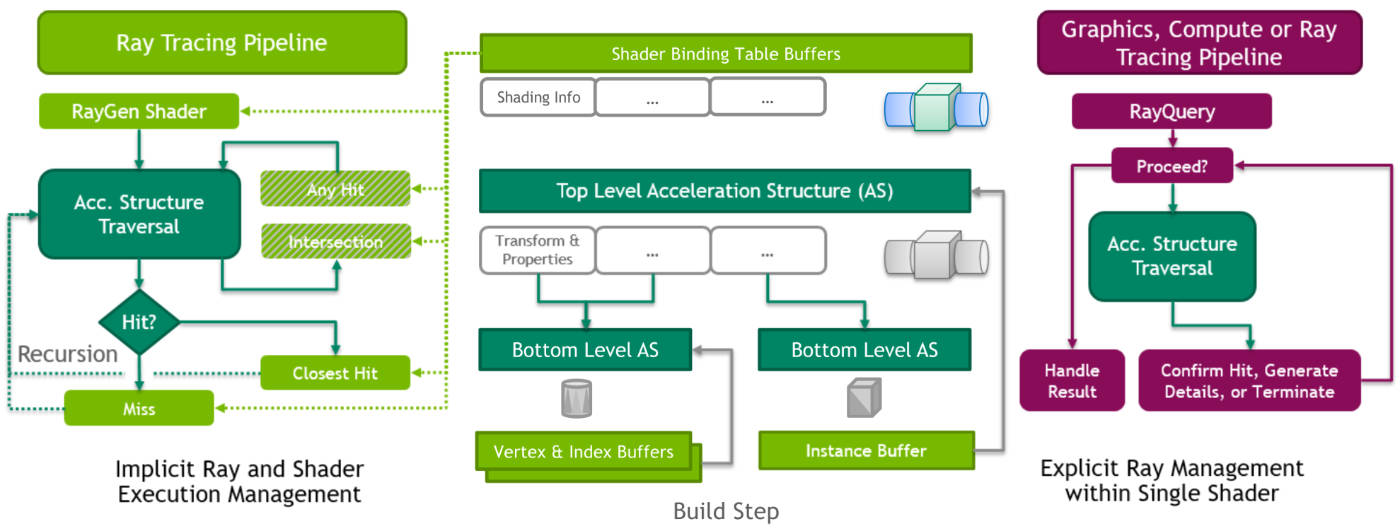
The typical rasterization pipeline consists of 2 main shaders, the vertex shader and the fragment shader. Raytracing uses neither of these. Instead there is a Raygen shader which acts as the manager for sending out rays, then there are a collection of different shaders for different scenarios. ClosestHit is used for the output of what material the ray has just hit. RayMiss is instead the shader used when a ray never manages to hit anything. AnyHit is a shader that can be set to execute before the ClosestHit, this is used for alpha tested materials to check if we think the ClosestHit is valid or not.
Ray Payload:
In order to pass information between the different raytrace shader types, a ray payload is needed. This is just a set of data that the user defines. It is important to keep this payload as small as possible and to try to reduce as much information from getting passed between different shaders as possible. This means that instead of doing any texture samples in the ClosestHit shader we instead pass back the texture indexes to the Raygen shader and sample the textures there. This means we are only passing a single int per texture instead of a float3 or float4. For shadows we have a completely separate ray payload that consists of a single bool to denote if the ray hit anything on its way to the light. This means that we are not passing in any redundant information and are again limiting what data we pass between our shaders.
Acceleration Structures:
As mentioned earlier, raytracing works by recreating the scene in an environment that raytracing understands. This is done by using 'bottom level acceleration structures' (BLAS) and 'top level acceleration structures' (TLAS). Essentially the BLAS is the 'shape' of the mesh, and the TLAS is a version of the BLAS with a transformation. While this isn't too much of an issue for static meshes, for skinned meshes that move and change shape such as the kittens you will have to update the BLAS every single frame (Or whatever update frequency you decide on), which is not very performant.
Monte Carlo Sampling:
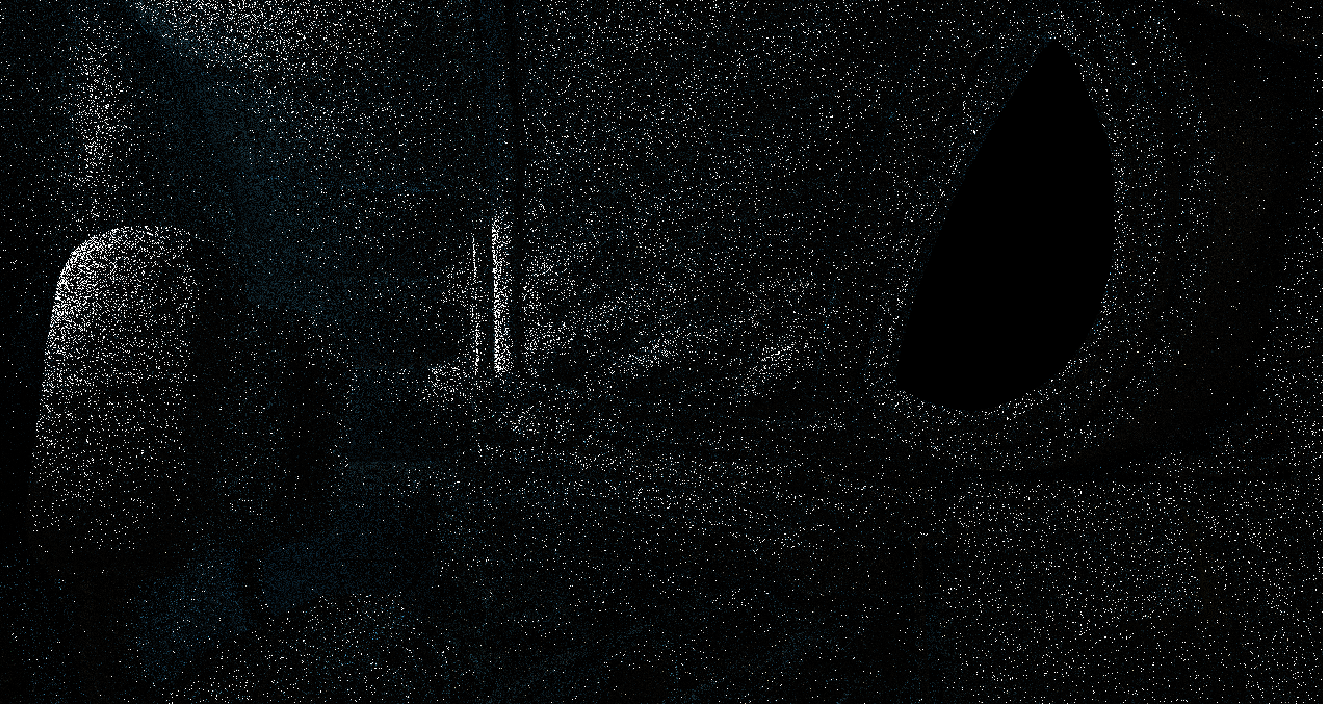
In raytracing it is common place to add some randomness to the direction a ray travels. The basic concept is that if the ray bounces in a random direction then collectively with the pixels nearby and sampling the same pixel multiple times, then the output will represent the collective scene accurately. This is a very important step for indirect lighting which benefits from sampling in multiple directions. However! Due to the constraints of real time rendering, we cannot keep rendering the pixels on loop until they look good enough. Instead we need to limit the total number of pixel samples and then decide how we want to handle this noisy image.
Output Images (Reflections, Direct Lighting, Indirect Lighting):
Avoiding A Denoiser:
Often real time denoisers are temporal. This means that the output of the denoiser is not isolated purely to a single frame and instead overtime interprets what the scene looks like. This means that the first few frames the denoiser does not have enough information to produce a clean image, as well as the renderer needing to do extra work to keep track of the velocity of meshes etc in order to keep the scene stable.
This would be a big undertaking to do.
We decided not to do this.
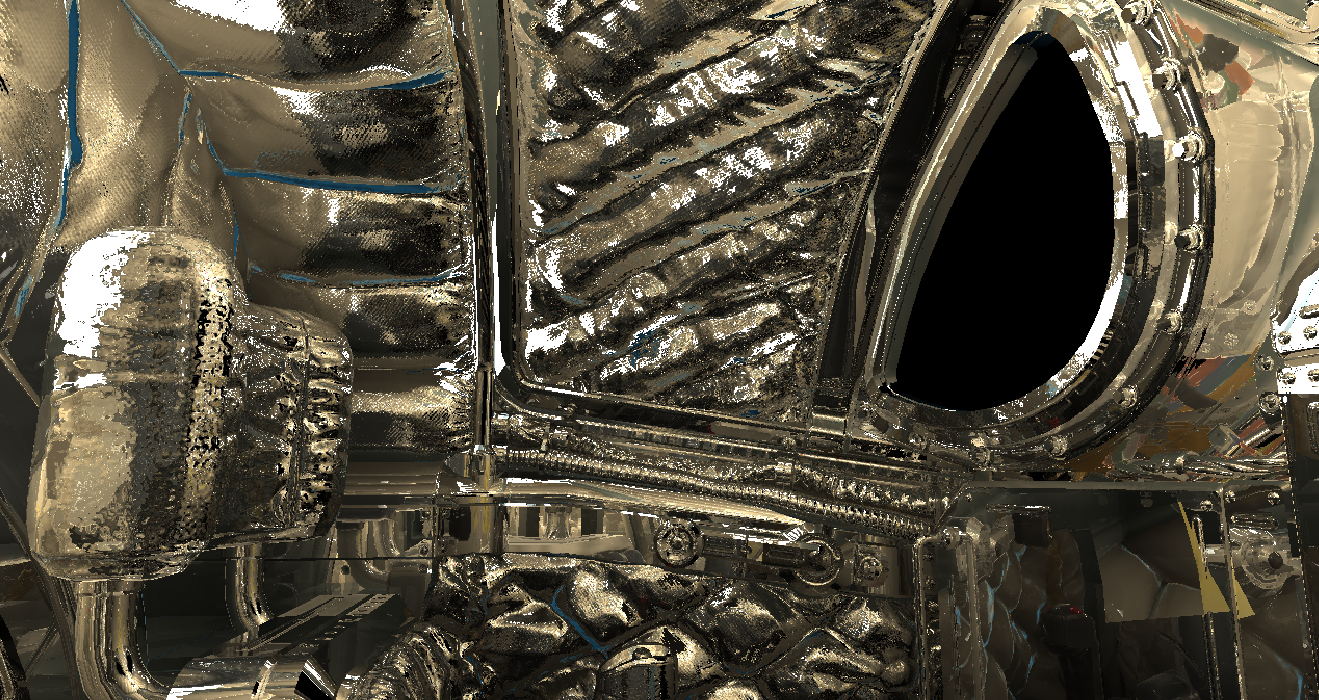
Instead we worked to try and ensure that the raytraced output was as stable as possible. The key result of this is that reflections are deterministic, that is they do not use Monte Carlo sampling meaning that the reflections do not need to be denoised.
This still leaves us with trying to find a way of denoising the indirect lighting. An important realization is that the indirect lighting already results in a blurred image, the indirect lighting is not the same as the reflections in which meshes need to be clearly defined and visible.
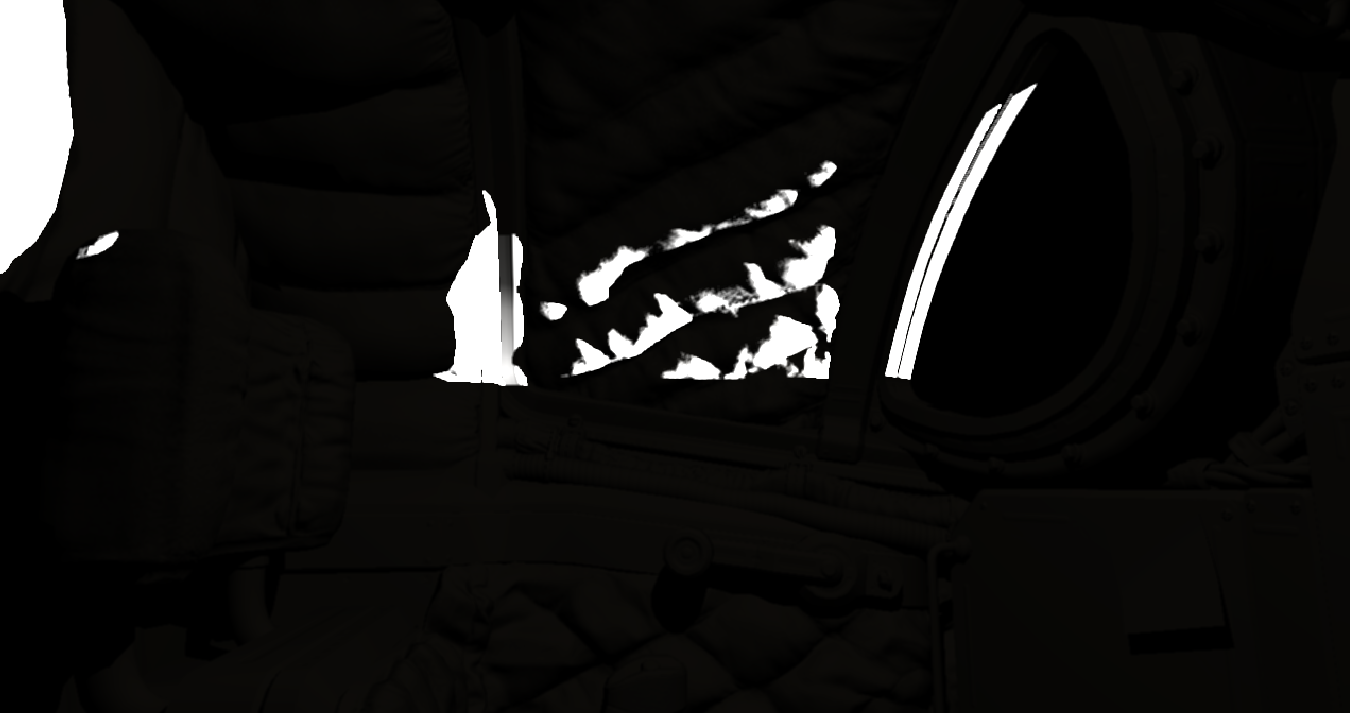
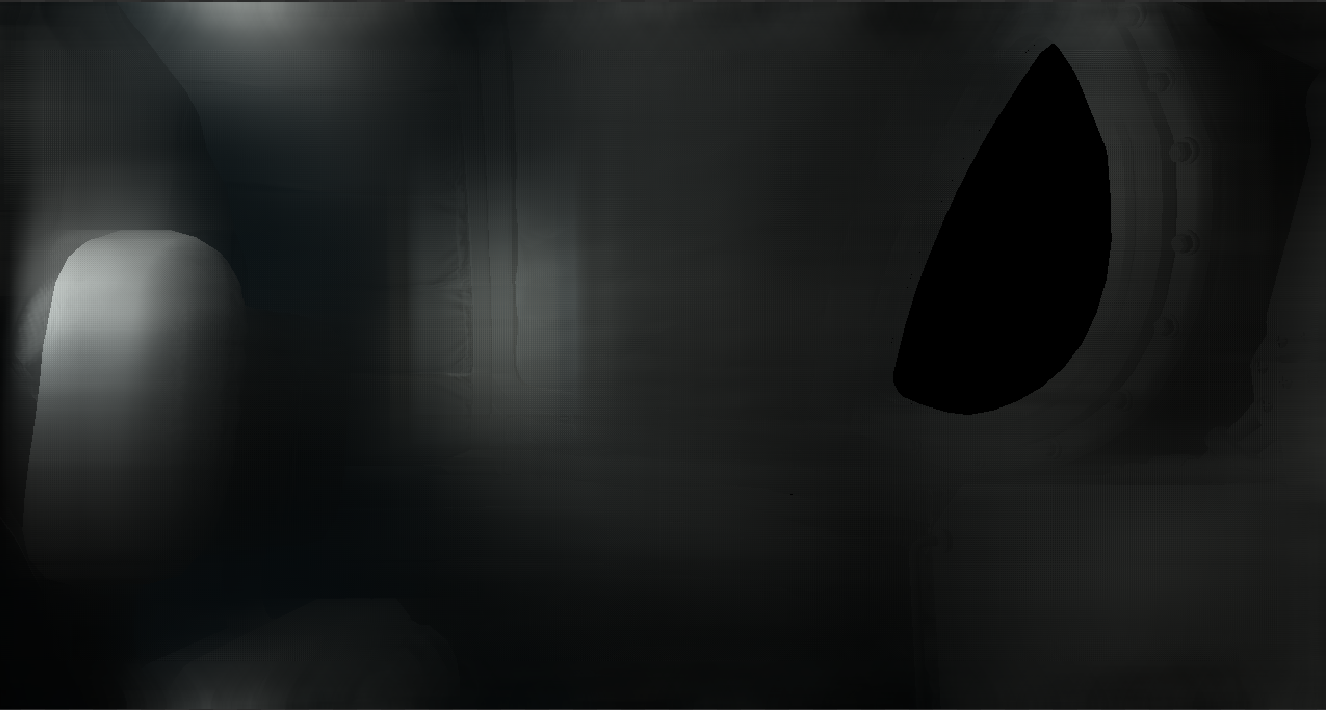
As a result if we split our raytracing output into 3 different components direct lighting, indirect lighting and reflections, then we can run an edge aware blur over the indirect lighting in order to get a stable denoised output.
Merging Rendering Pipelines:
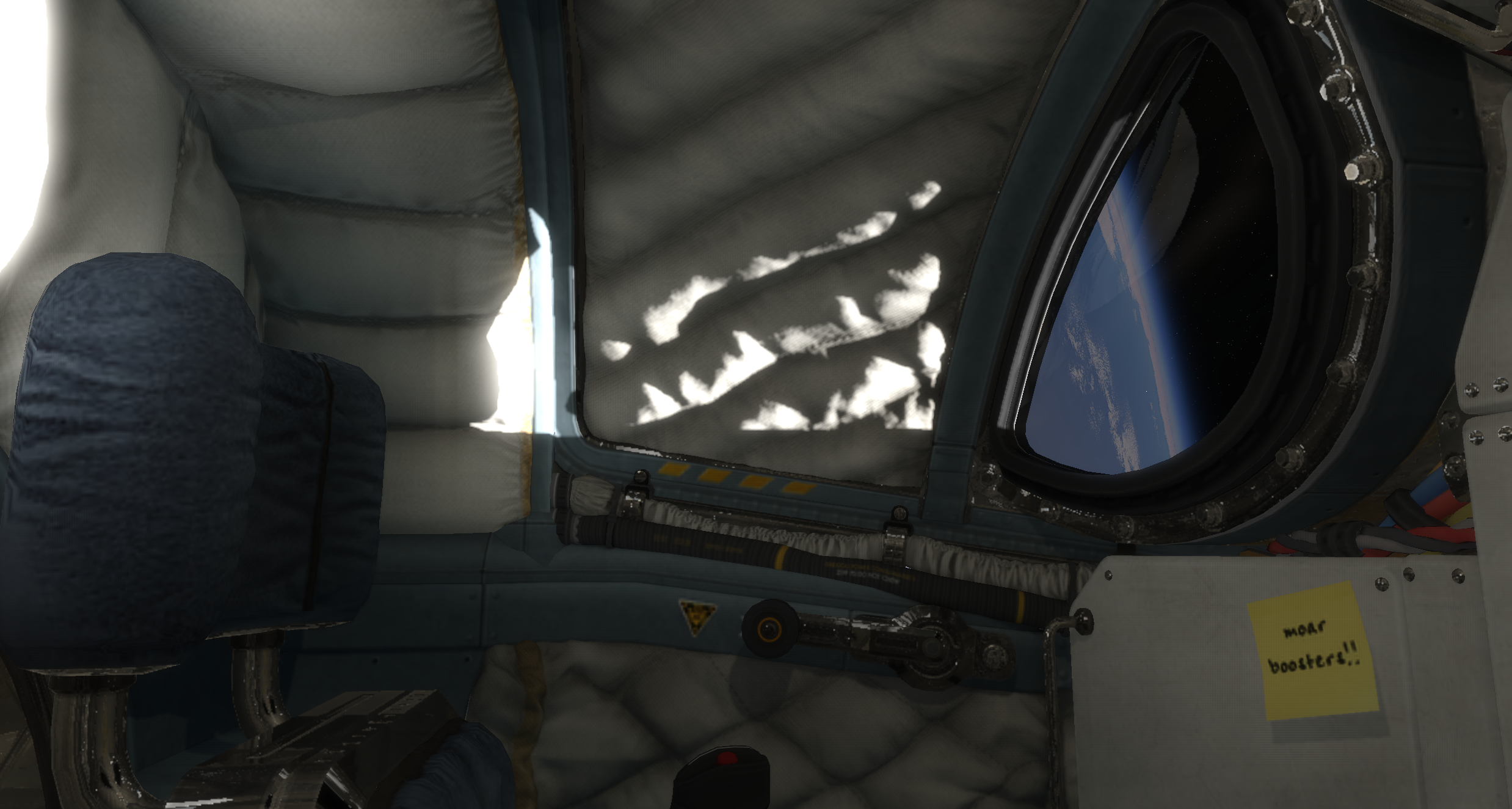
The goal for this raytracing implementation is not to replace everything in the game to be raytraced, as an environment such as space doesn't benefit very well from raytracing. What does work well are very small confined spaces. As a result we had to decide on how we wanted to merge the raytracing output textures into the non-raytraced meshes. That means that after we get our raytraced output we pass the output textures into specific meshes and we render those meshes again using the standard rasterization pipeline (Non-raytraced), this ensures that meshes that are raytraced write to depth and occlude any other meshes correctly.
Pre-Pass:
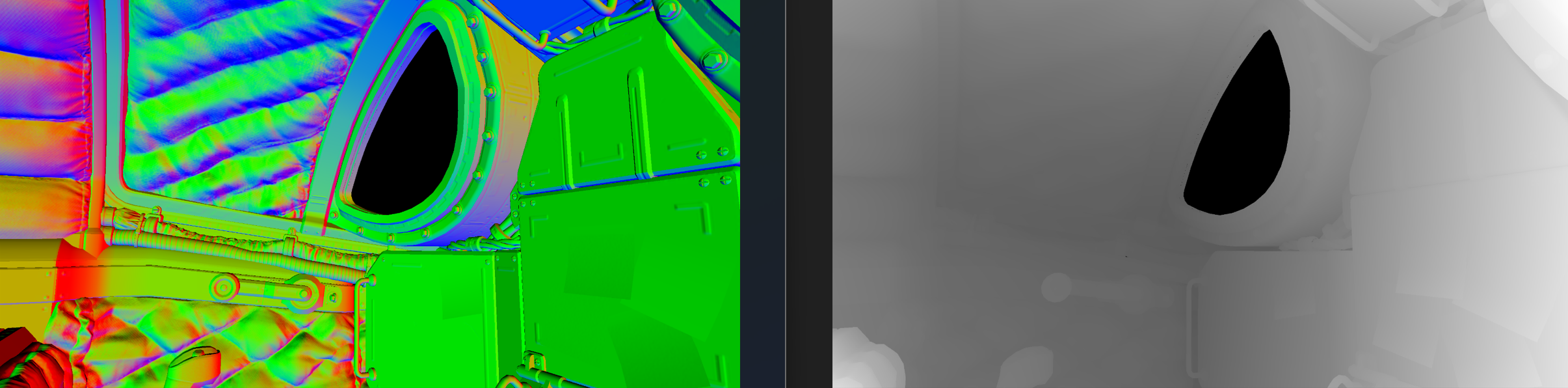
To recap, currently we begin by shooting a ray out from the camera and waiting for it to hit a surface. This is both limiting and wasteful. As also mentioned previously when we have skinned meshes such as the kittens if we want them to appear in the raytraced environment we would have to update their BLAS every frame (Some games that do this only update the BLAS for skinned meshes every few frames, but regardless need to update the BLAS at runtime). Instead, what we can do is we can pre-render the scene and create a GBuffer. This is another common rendering technique, that allows for several other rendering techniques as it means there is some pre-calculated data available when rendering. In this case though it means that we can use this data to interpolate the starting positions of the rays based on the pre-pass, this allows for meshes that are not visible in the raytracing environment to correctly receive a raytraced output. Although the kittens are not currently using this technique the core system is setup for them when needed. This also allowed us to avoid proper translucency setup for glass, as we can instead interpolate from the glass pre-pass but the windows never need to be placed in the raytraced environment meaning we don't need to implement proper translucency into the raytracer.
Whats Next?
There are still improvements that need to be made to the current denoiser as it doesn't respect high contrast environments very well. Whether that means we need to bite the bullet and setup a temporal denoising pipeline or if we are able to continue iterating on our current implementation only time will tell. We are also excited to get the kittens in and see how they look with raytraced lighting and reflections applied to them.