Overview
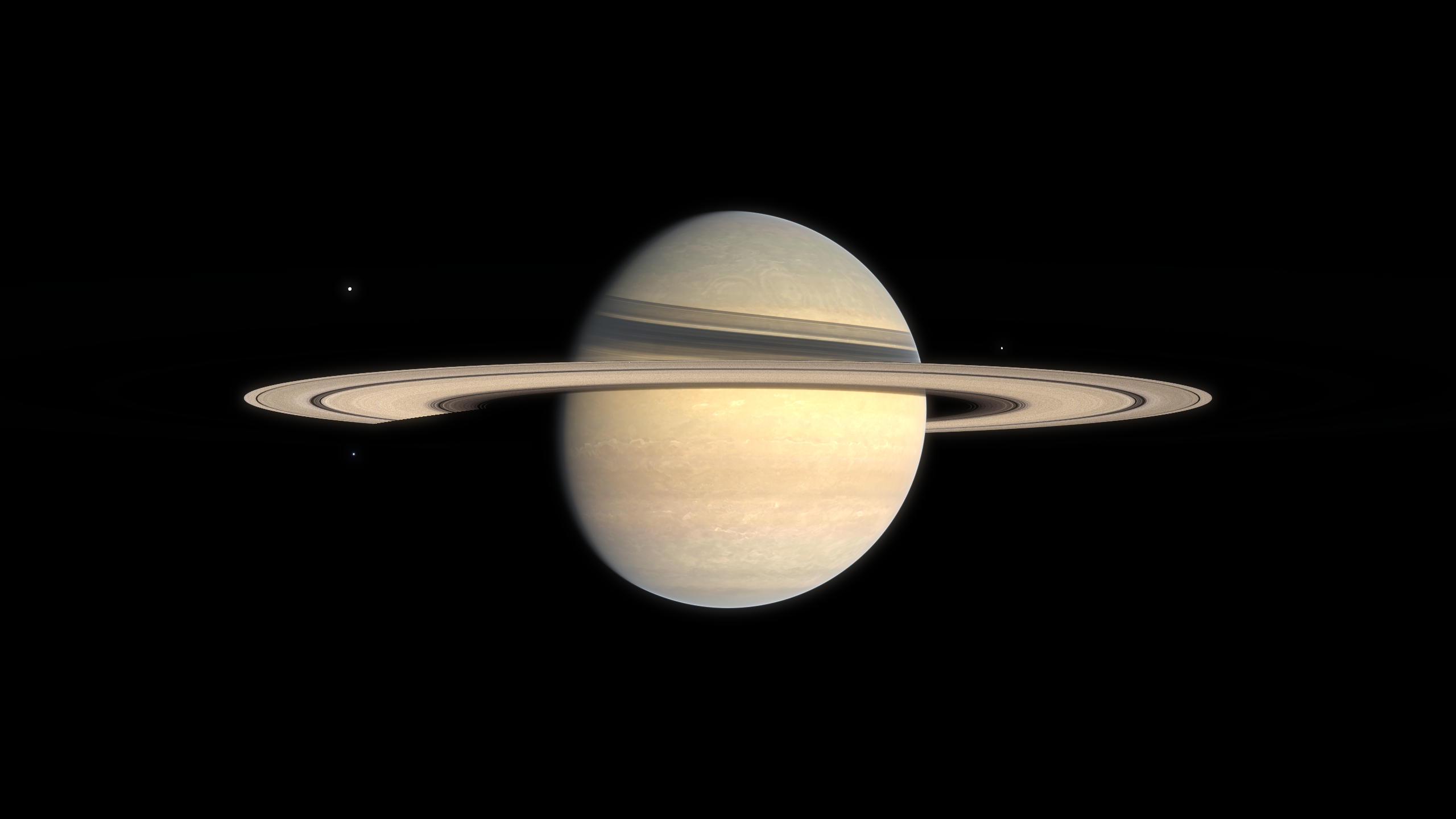
Rendering convincing planetary rings is an important part of our wonder pillar. A ring system may look like a simple flat disc at a glance, but capturing how light filters through layers of dust, and how particles drift past each other at different orbital speeds requires solving some interesting problems.
This post explains how ring rendering is implemented in Kitten Space Agency: a hybrid volumetric system for the ring itself, a GPU-driven pipeline that places and animates hundreds of thousands of objects, and a floating point precision trick for keeping animations stable over very long timescales without resorting to GPU double precision.
Volumetric rendering
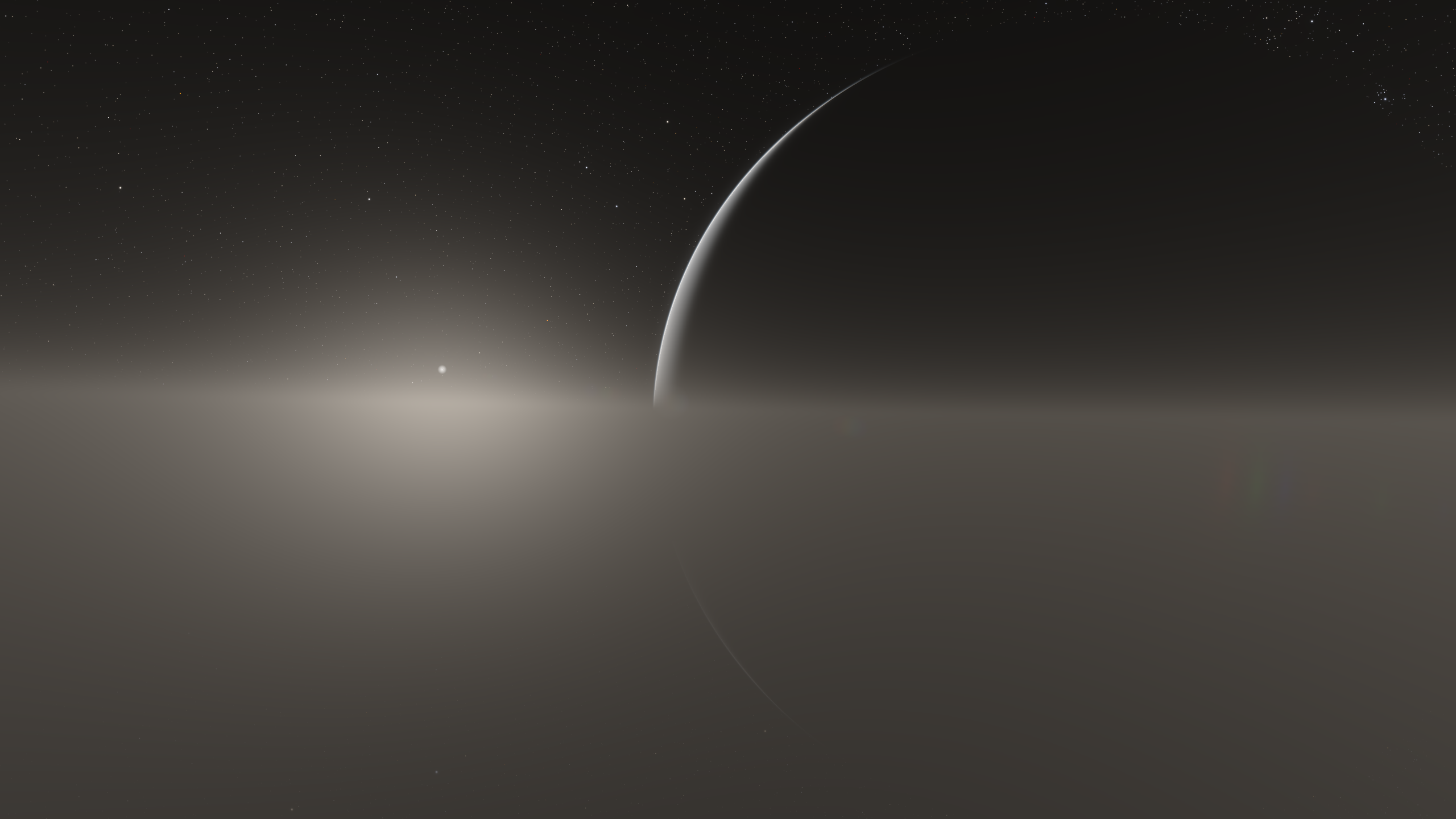
The ring is treated as a volumetric medium. At short distances, raymarching is used to render a fully volumetric effect with local variations, and at long distances, a simplified analytic solution assuming constant density and color along the view ray is used to render the ring at a very low cost. This assumption holds well enough at long distances that it perfectly matches the volumetric rendering, allowing for an invisible transition between the more expensive volumetric effect and the cheaper long-distance effect.
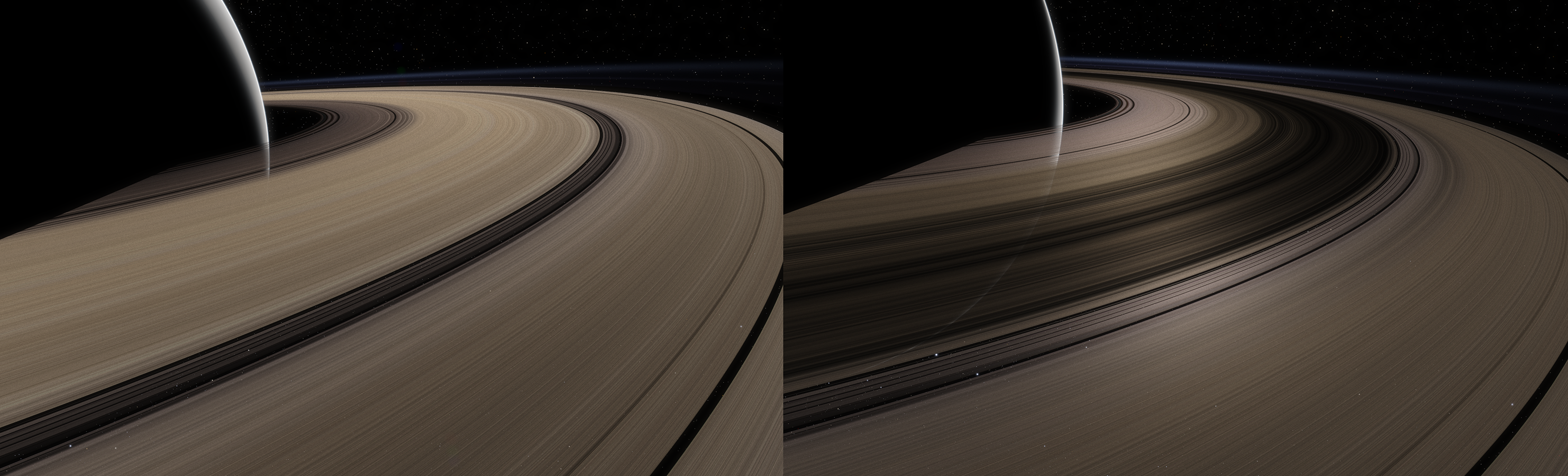
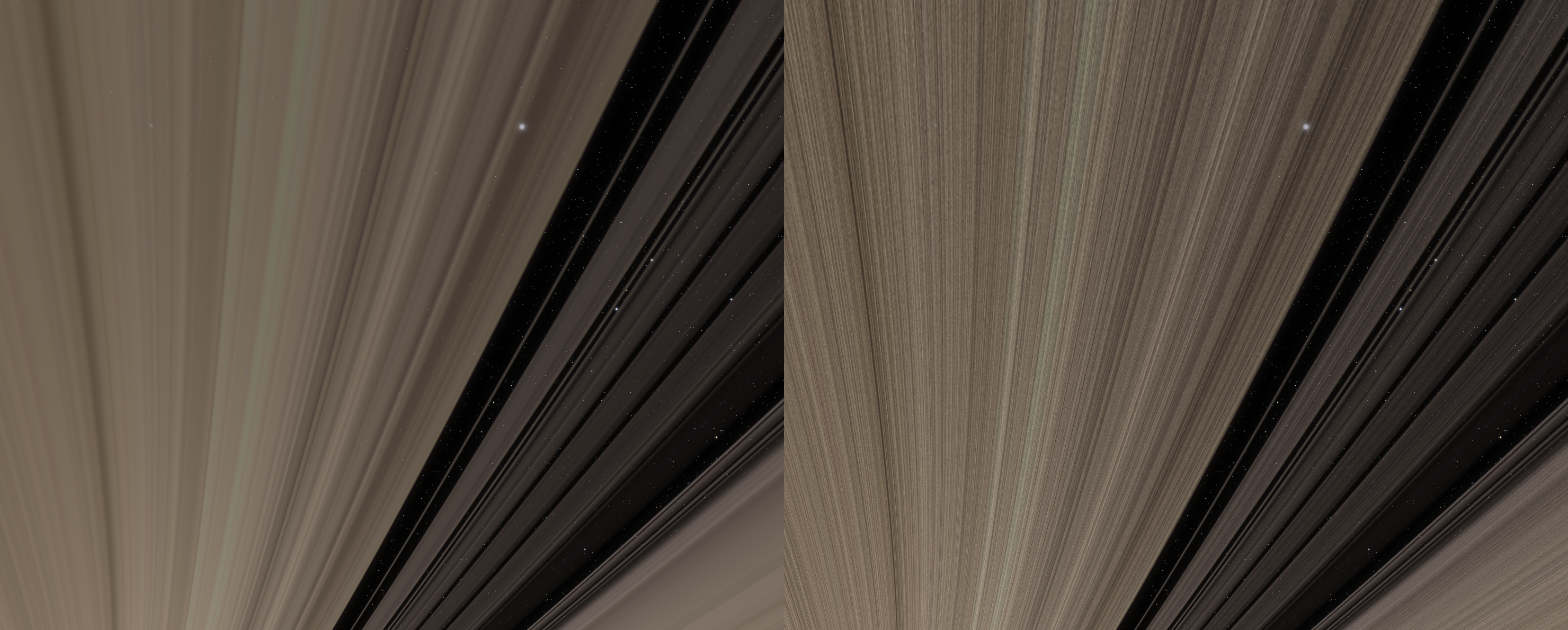
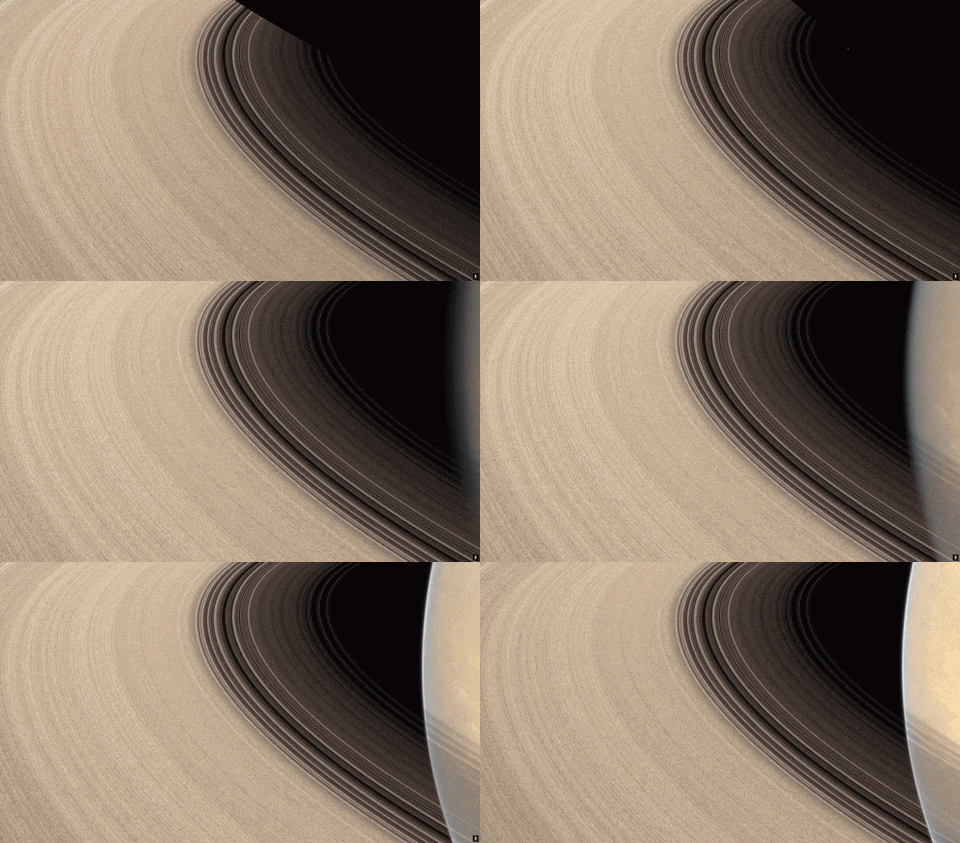
Because of the volumetric rendering, several interesting effects emerge naturally, one of these is that the thicker sections of the ring naturally appear darker when observed from the darker side, as less light filters through them. Other games and programs typically use two different artist-authored textures on different faces to achieve this effect.
Left: Lit side, Right: Dark side
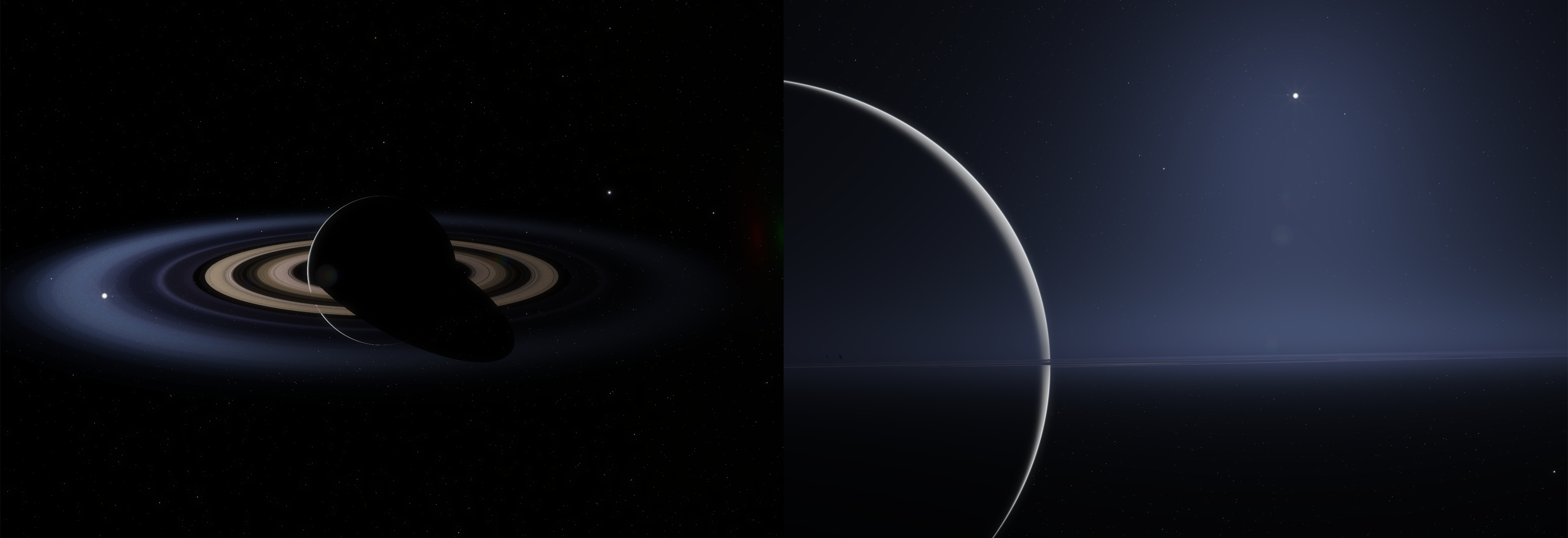
The lighting itself and the appearance of the rings will also vary a lot depending on the light angle, and the opacity of the ring will appear to increase with more grazing view angles, as the view ray traverses a longer distance inside the volume.
The thickness of the volumetric effect is varied locally using a control texture and some parameters. This is used to render the E and G rings of Saturn, which are larger in size but thinner in density. These can only be seen at certain phase angles through strong forward scattering. This effect is reproduced here.
A simple radial texture is used for the ring's colors and transparency, with procedural subrings used to add detail, the added detail averages out to the input texture from a distance so the texture's look is preserved. The density of the volumetric medium is derived so that its transmittance matches the alpha channel of the input texture, allowing for an easy setup.
Left: input texture alone, Right: with procedural detail added
Mesh rendering
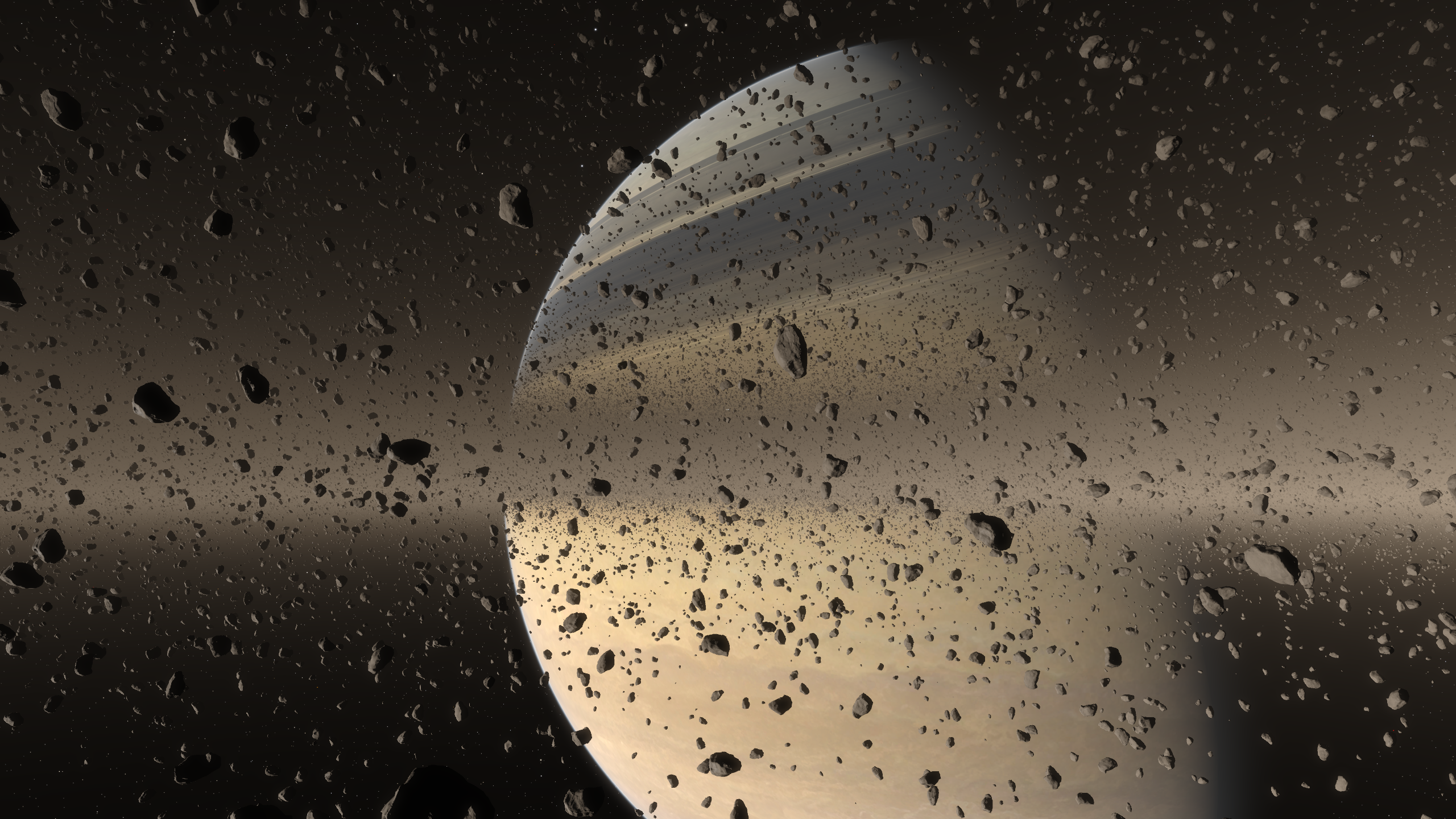
A GPU-driven system is used to place, cull and render meshes inside the ring. This system is similar to the ground clutter system and reuses some of the functions and rendering methods. You can read Casper's post on the ground clutter system here.
Chunks are used to inexpensively cull large groups of meshes before evaluating individual objects.
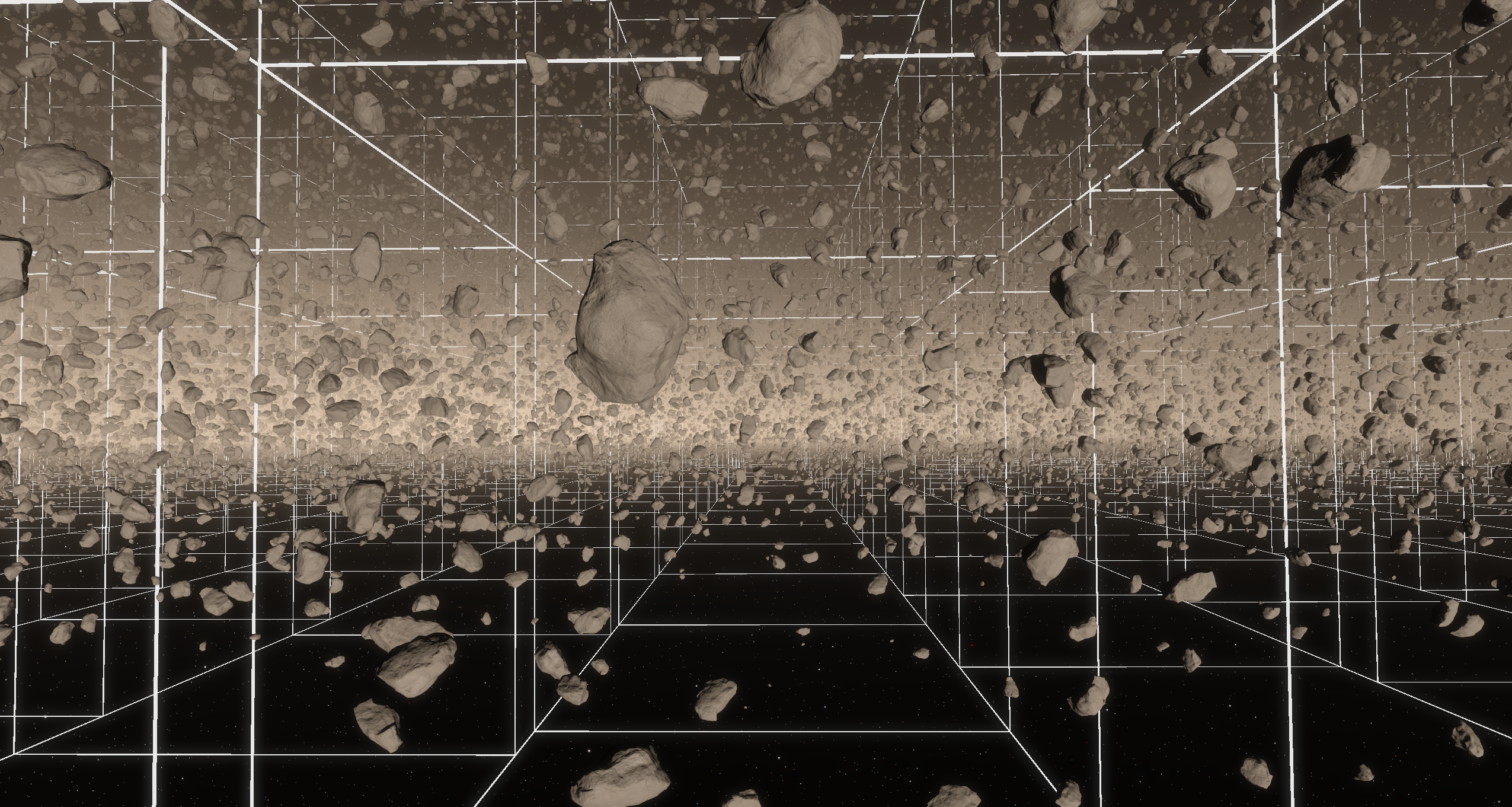
Visualization of chunk bounding boxes
Every chunk has a unique id identifying its orbital radius and its rank and depth in that orbit. The id is used to randomize mesh placement within the chunk, with some constraints I will discuss in the next section. You'll also notice from the above visualization that different rows of chunks don't align with each other, this is because they move relative to each other at different speeds (more on this in the next section), and they also differ slightly in size, so that every sub-section's circumference divides evenly over its own chunks.
For every chunk that passes the culling check, its objects are sorted into LODs (level-of-detail) meshes based on their distance from the camera. Rock models are currently reused from the moon's ground clutter. At very long-distances, simple polygonal impostors are used.
The scene shown in the top screenshot contains ~115k meshes spread over 5 LODs and ~530k impostors.
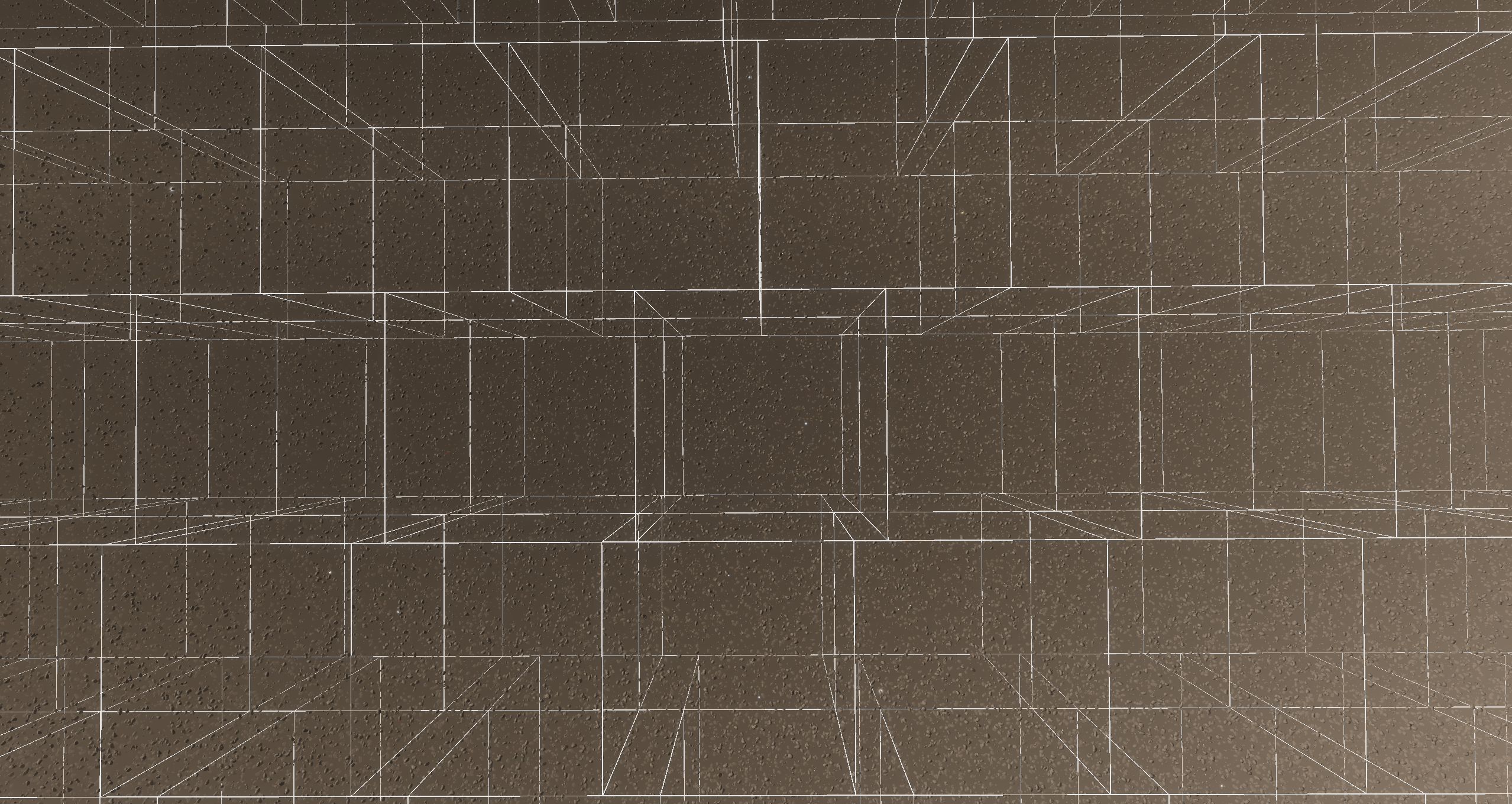
Impostors alone are displayed below at a larger scale for visualization.
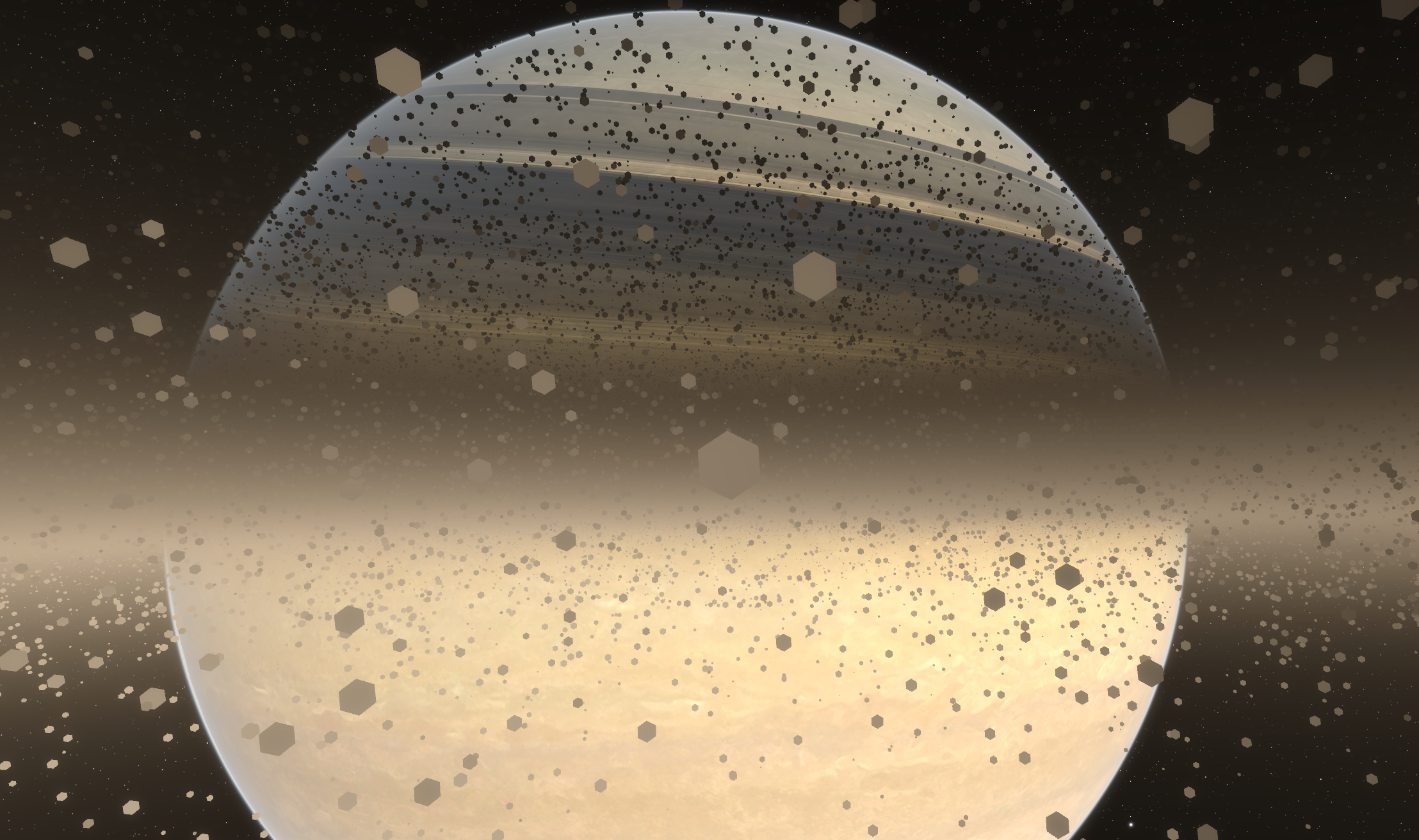
Impostors are important here because they are faster to render, help keep the perception of high density, and have a reduced memory footprint (they only need a position and size, compared to meshes which need the position, scale, rotation and LOD information).
Geometry is used so that the impostors still write to the depth buffer and interact with other depth buffer effects.
Differential rotations
According to Kepler's third law, objects in lower orbits move faster than those in higher orbits. Replicating this behavior is important both for correctness and for selling the sense of scale and wonder of being inside a ring system.
This effect is implemented on the distant ring representation and on the individual rocks.
The animation below with exaggerated textures shows the effect with different orbital speeds.
In practice, if your reference frame is an object orbiting within the rings, then as it moves faster than objects in higher orbits, but slower than those in lower orbits, objects around you will appear to move in opposite directions.
This is very mesmerizing (and disorienting) to watch at the individual rock level.
Other games/programs typically implement this as groups of rocks moving together, but without individual rocks moving relative to each other, leading to a noticeable discontinuity between movement speeds of neighboring groups.
Because we want every rock to be able to move independently according to its own orbit, this complicates the usage of chunks for culling large groups of meshes, since neighboring meshes don't move together but drift apart, they cannot remain contained within the same chunk.
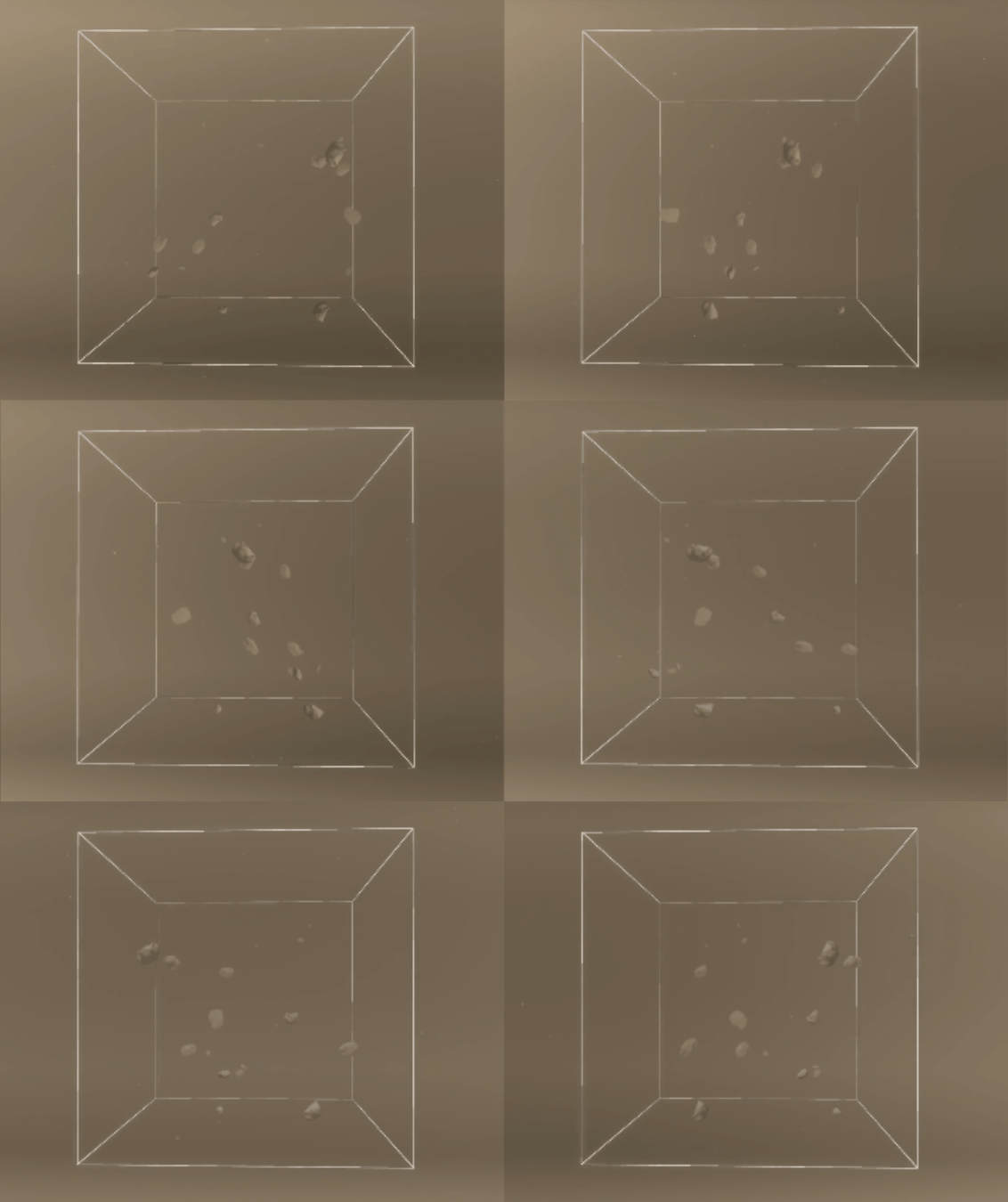
We can get around this by "looping" meshes inside the chunk when they reach the chunk's edge.
The technique is visualized here with a reduced number of instances and a single chunk, note how every object that reaches one side comes back out of the other
When neighboring chunks perform the same looping, and the mesh distribution is the same, it looks like meshes can move between chunks.
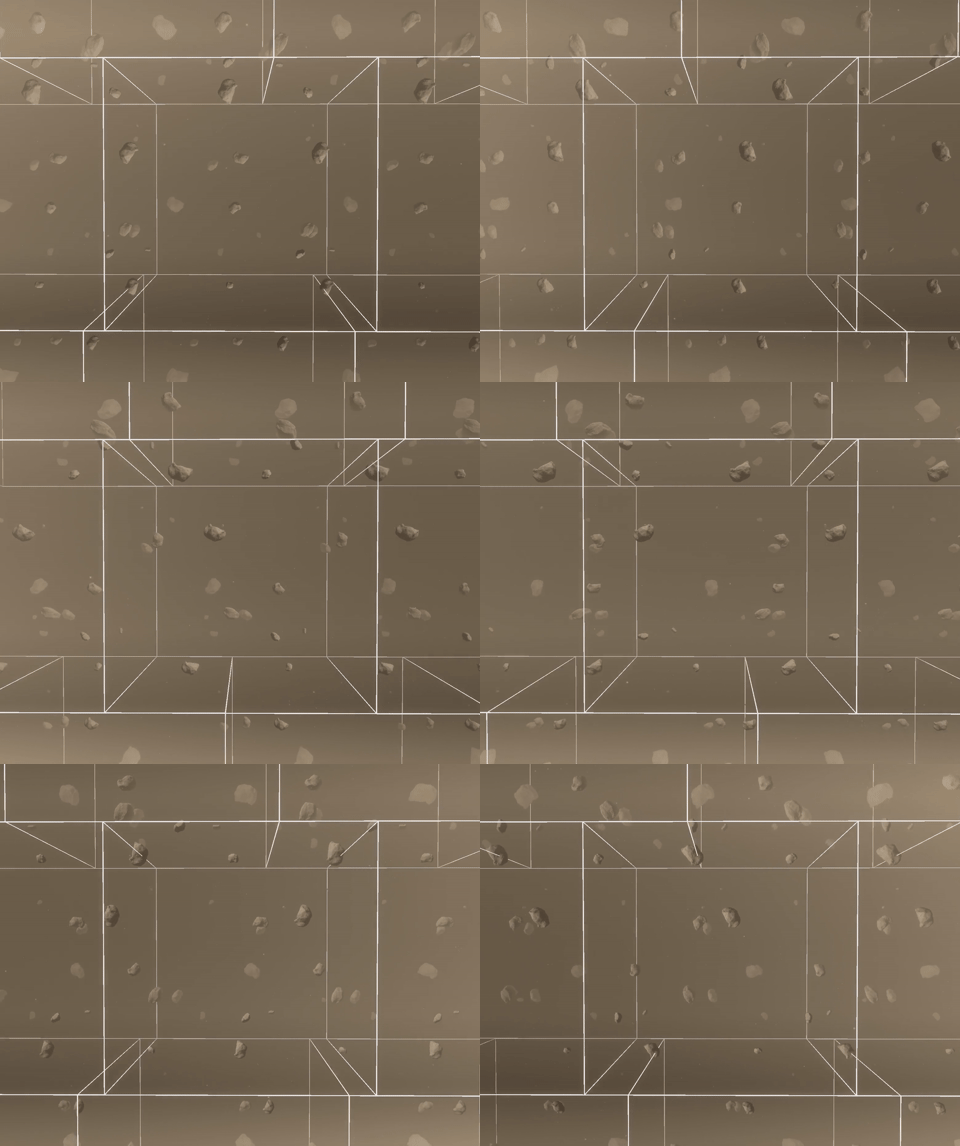
This looks quite repetitive, so the last step is to add randomization based on the chunk id, with the added constraint that orbital radii and speeds need to match between neighboring meshes that move between chunks, but position on the remaining axes and other properties can be randomized. Based on the current displacement of every mesh, an offset is calculated to identify the original chunk it would have originated from and match its properties. Now it starts to look like unique instances are moving through the chunks.
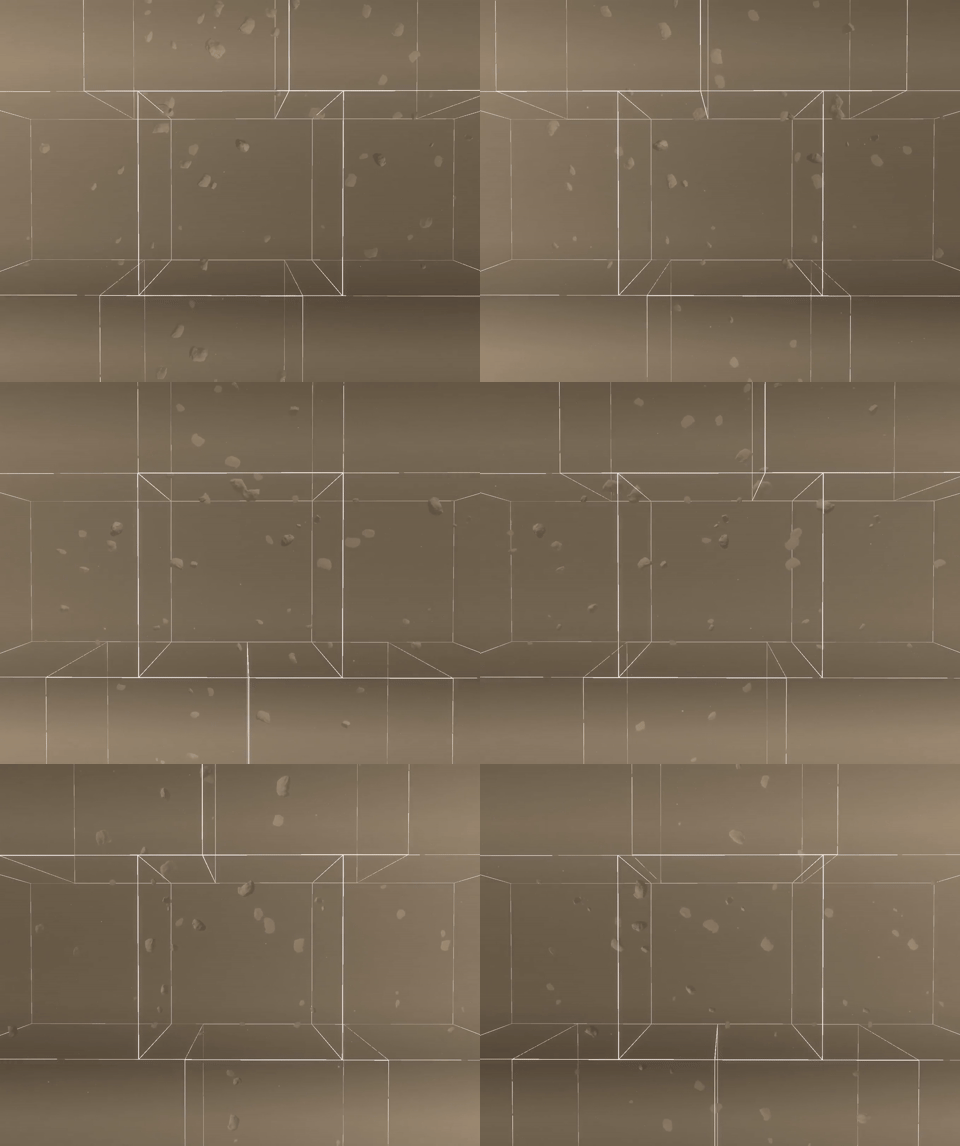
With the differential speeds causing a large distortion, and a much larger number of meshes per-chunk, repetitions are minimized even further.
Floating point precision issues and workarounds
Considering that every mesh moves at its own speed based on its orbit, evaluating the position of every mesh accurately on the GPU is difficult due to the necessity of working with single floating point precision.
As the simulation's time value can get very large, when it is multiplied by the per-mesh speed to compute the position, we start to run into floating point precision issues. These issues cause visible jitter and can start to appear after a few in-game days. There simply aren't enough bits to compute and represent the numbers involved accurately.
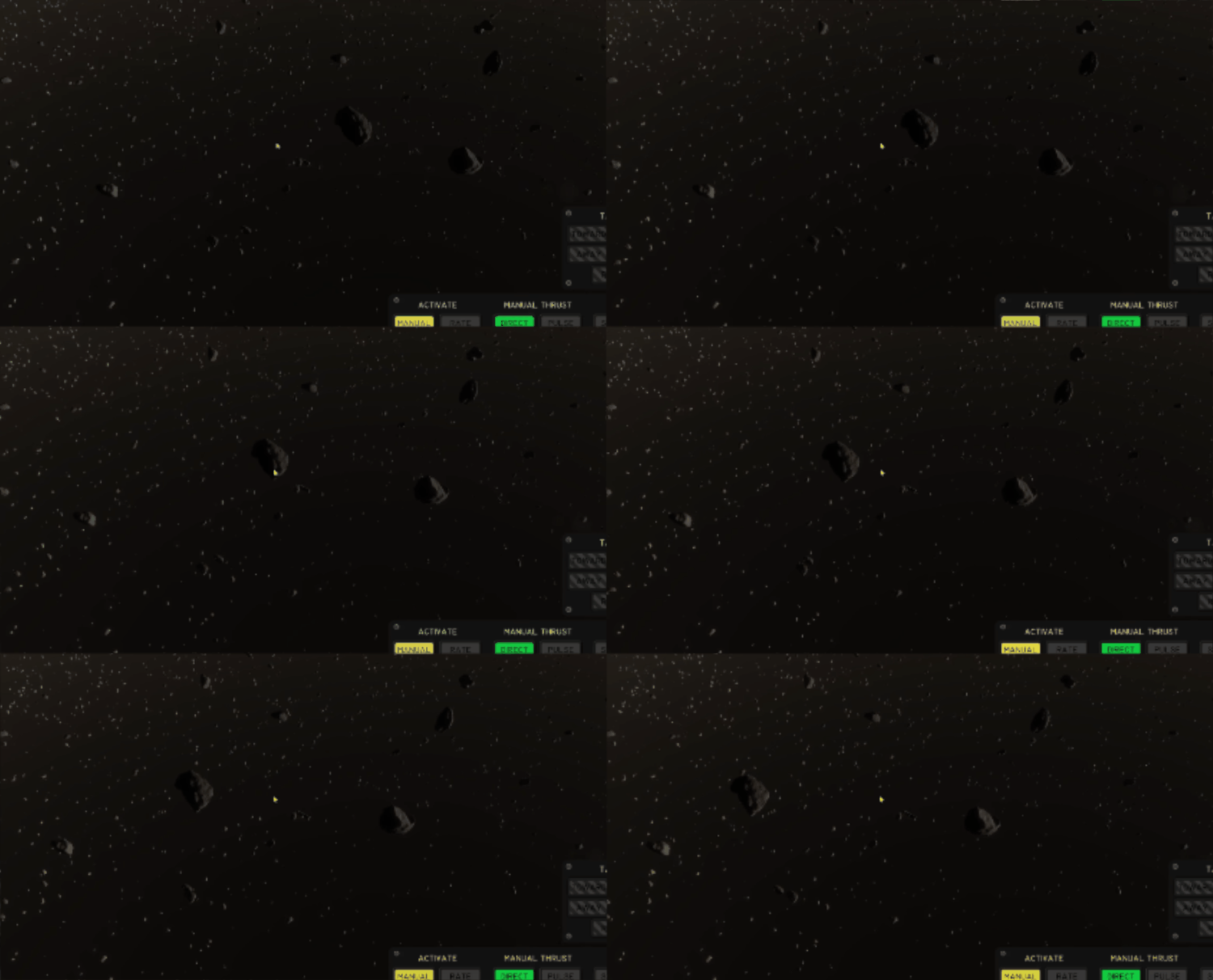
Typical methods to work around this in games include:
Looping time: Picking a duration and simply repeating the loop so that the time value stays in low float exponents, this produces a discontinuity at the start of every loop unless the animation duration matches the loop exactly. In our case, the animation speed varies per-instance so we cannot use this without a discontinuity.
Looping time and quantizing speeds: A more robust alternative to the above is to also round the animation speeds so they loop exactly with the time loop's duration. This method can work well if the loop duration is a few orders of magnitude larger than the individual animation durations, so that they are not quantized significantly. In our case, it is possible to configure planets with low mass, or with a large enough difference between the ring's inner and outer radii, that orbital speeds can vary between extremely high and extremely low, making this fall apart on the slower sections as speeds get quantized to the same values, causing rocks to start to move together again.
Using hardware double precision or software extended precision (also known as emulated double precision in graphics programming circles): Hardware double precision on consumer GPUs is notoriously slow and not always supported. To avoid compatibility and performance surprises, we do not rely on GPU hardware doubles. Software extended precision represents a high-precision value as multiple single-precision floats, and applies more complex arithmetic operations on those components. This increases the number of arithmetic operations, but it can still be faster than hardware doubles on many consumer GPUs. This method would work here, but I will show a simpler, lower-cost technique that is well suited to texturing and any use case where the results loop.
Since meshes "loop" inside every chunk, we can work with normalized positions in the [0, 1[ range where 0 and 1 represent the chunk edges, so we only care about the fractional part of the result. This is similar to texturing where texture coordinates (the UVs) loop in 0-1 intervals.
We can then take advantage of the identity fract(a+b) = fract(a) + fract(b) where fract is a function to compute the fractional part. As long as we can compute fract(a) and fract(b) with sufficient precision, we don't need to compute a+b.
We then split the double-precision time value on the CPU into 4 floats, each float using only a small part of the precision it allows, such that all the floats sum up to the original double precision value.
Using only a part of the precision each float allows, these partial time values can be multiplied by the normalized speed, while conserving sufficient precision for our use case. Their fractional parts are then summed up to get the final result, getting around the precision problem. The shader-side code ends up being quite simple and cheap as the fractional parts and sum can be done in a SIMD-friendly way
vec4 decomposedSimTime; // The double precision simulation time decomposed into multiple floats on the CPU
float animationSpeed;   // Per-instance or per-pixel animation speed

// SIMD-friendly fract and sum
vec4 partialResults = fract(decomposedSimTime * animationSpeed);
float result = dot(partialResults, vec4(1.0));
In practice this is good enough for our meshes, but if more precision is required, the animationSpeed can also be further decomposed into two floats on the GPU (see the Dekker-Veltkamp split) and the same method can be used, getting the same level of precision as more expensive methods.
The below video shows the different methods in action. Note the in-game time of 140 years.
Performance
Timings are taken for the following scene with Nsight GPU trace at 1440p on an NVIDIA 2080 Super.
Mesh placement and culling: 0.36 ms
Mesh rendering : 3.42 ms (2.48 ms for meshes + 0.94 ms for impostors)
Volumetric rendering: 1.67 ms
For a total per-frame cost of around 5.5 ms. For context, to run at 60 frames per second, the scene needs to render in 16.66ms. This performance level leaves a sufficient overhead for implementing other effects.
Future work and improvements
There are a few areas I'd like to revisit in the future. The current shading for the rocks is a good placeholder, but ring particles (particularly in systems like Saturn's) are mainly icy, and would need a dedicated shading model that reflects that. In addition, the current mesh density and distribution are set up to look more "cinematic", a more accurate, thinner configuration will be added in the future based on real information we have about Saturn.
At long distances, the current shading model treats the ring purely as a volumetric medium, ignoring the contribution and occlusion of the discrete meshes entirely. Ideally these would be unified into a single statistical model that accounts for both, giving a smoother transition between the two, and a consistent look at all distances and scales.
Thanks for reading!