Fuel in KSA follows the structure of your vehicle: fuel flows along the part tree, and things like decouplers act as walls. That's the right default — you don't want your bottom stage quietly draining the tanks you were saving for orbit — but it also ruled out a whole family of classic rocket designs: radial boosters feeding the core stage, crossfeed, asparagus staging, and "that tank is just out of reach" plumbing jobs. Fuel lines fix that.
What's new
You can now run a fuel line between any two Fuel Ports on a vehicle. A fuel line is an explicit statement of intent: "fuel is allowed to flow from here to there," even across a decoupler or between parts that aren't structurally connected at all.
The headline use case: strap a pair of boosters to your core stage, run a line from each booster into the core tank, and your core engine burns booster fuel first. When the boosters run dry, stage them away — the lines are severed automatically and the core continues on its own full tank.
The Fuel Port
Fuel lines connect between a new part: the Fuel Port. It's a small radial part (currently wearing placeholder art — a proper model is on the way) that you surface-attach anywhere on a tank or booster. Each port has a maximum line length, so you can't plumb the nose of your rocket to the tail from across the vehicle — port placement matters.
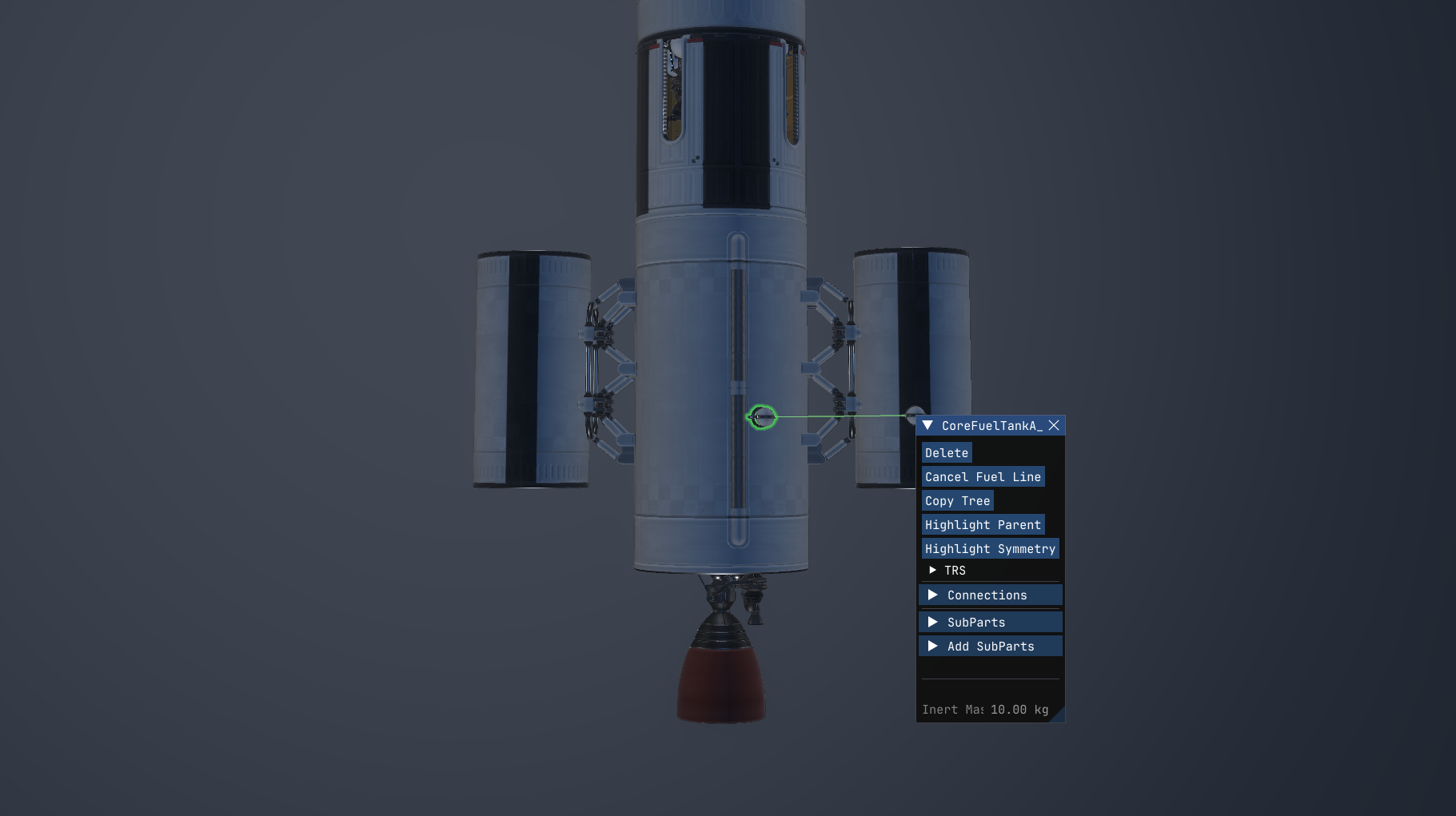
Connecting a line in the editor
1. Place a Fuel Port on each part you want to connect.
2. Select the first part and click Connect Fuel Line in its part window. This is the donor side — fuel will flow away from it.
3. A preview line follows your cursor: green when you're hovering a valid target port, red when you're not (wrong vehicle, too far, no port, or already linked).
4. Click the second port to complete the line. Click empty space to cancel.
Symmetry is handled for you. If you link one booster of a symmetric set to the core, every sibling booster gets its own line. This works even when the ports themselves were placed individually onto already-symmetric boosters — the editor finds the matching port on each sibling.
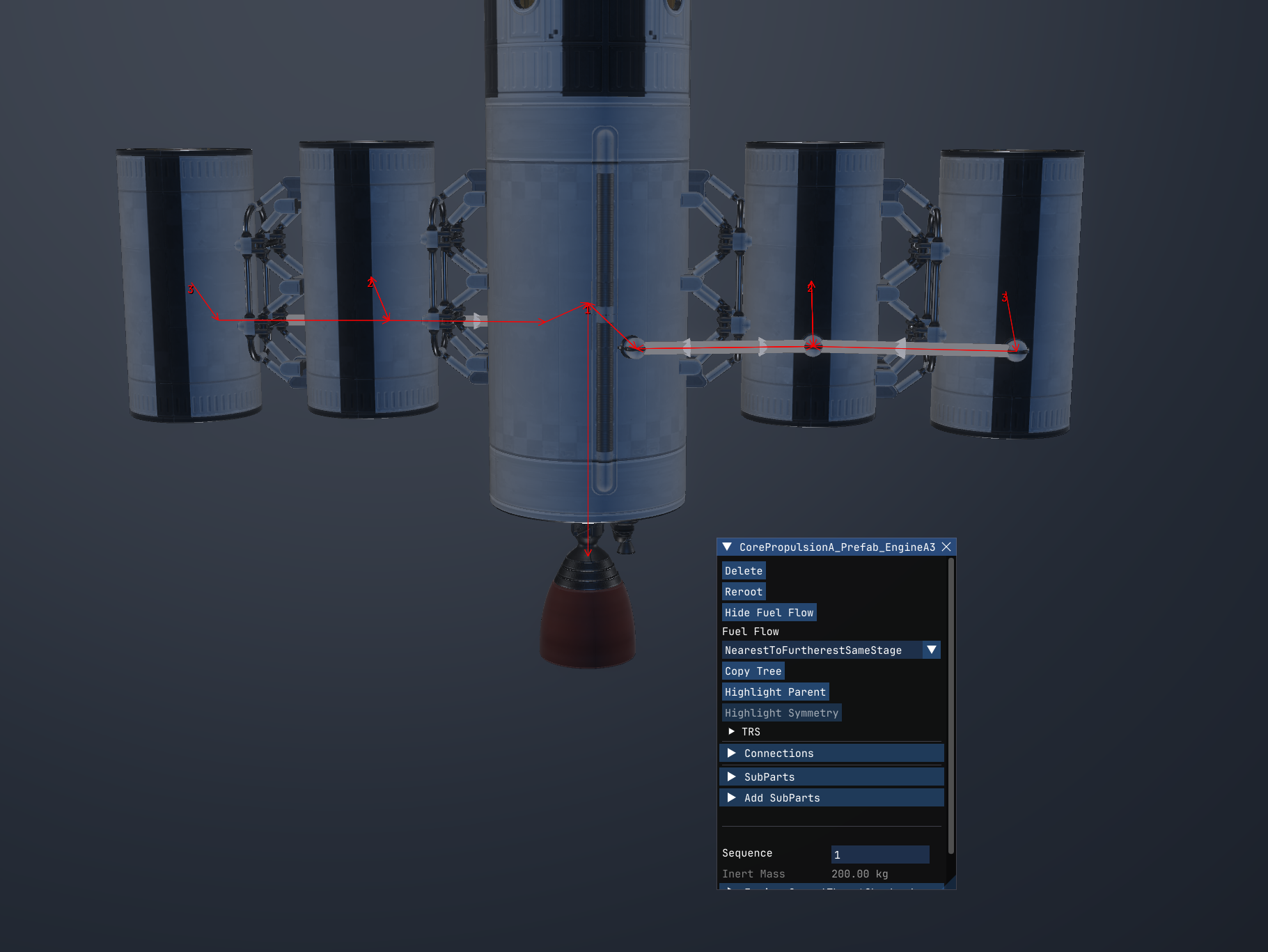
Seeing your plumbing
Fuel lines render as a physical tube between the two ports, in the editor and in flight. Grey means the line is active; dark red means it's been disabled. Arrowheads along the tube show which way fuel is allowed to flow (two arrows for bidirectional lines).
The Visualize Fuel Flow overlay understands lines too: turn it on for an engine and you'll see the flow routed tank → port → line → port → tank, showing exactly which tanks that engine will actually drain and in what order. The overlay is an editor tool, so it switches itself off when you launch.
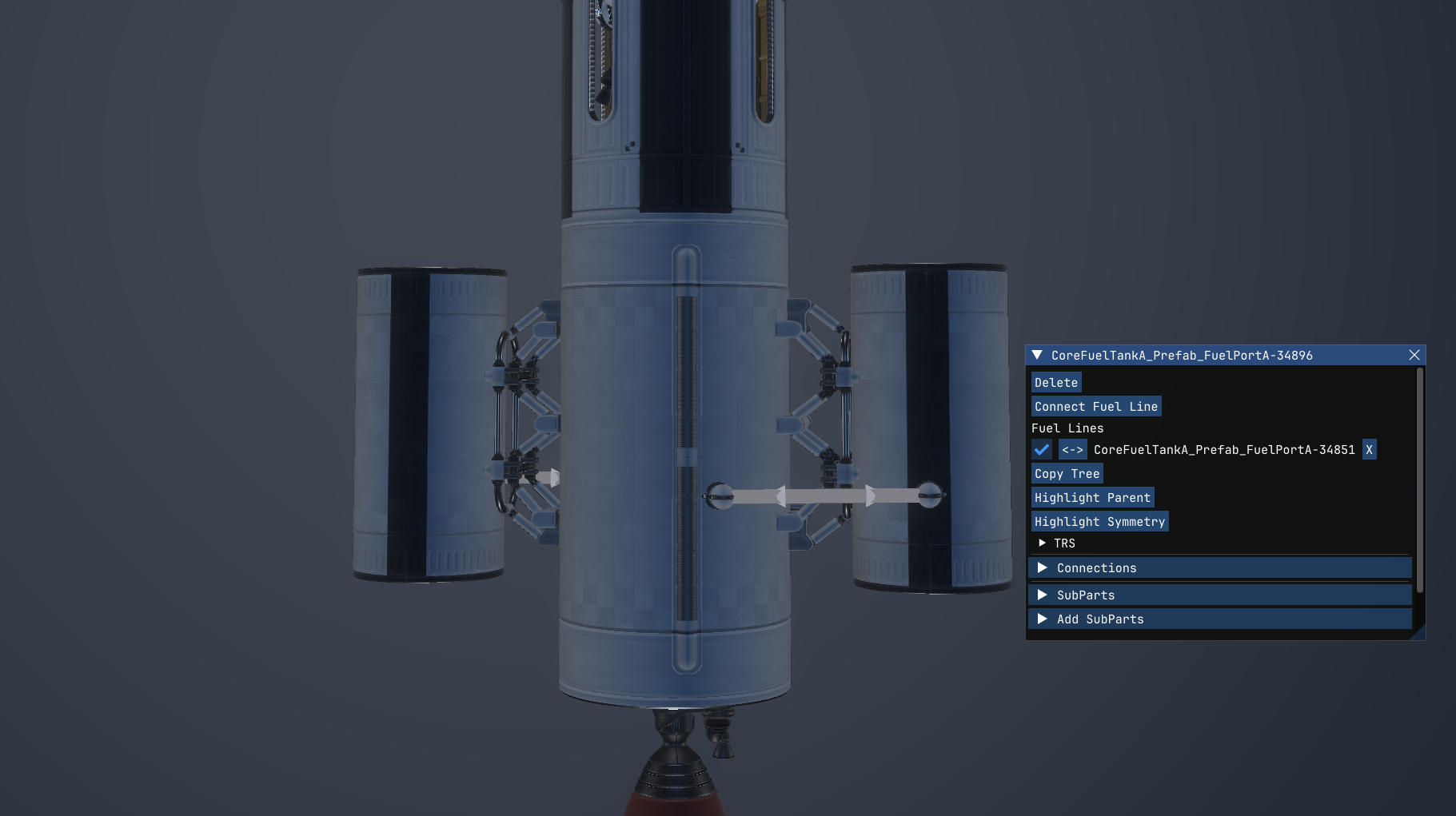
Managing lines
Select any part a fuel line touches and its part window lists every line on it, each with:
- an enable checkbox — shut a line off without deleting it,
- a flow direction button — cycle between one-way (either way) and bidirectional,
- a delete button — removes just that line (symmetry copies are left alone, so you can fine-tune individual lines after fan-out).
Hovering a row highlights both endpoints on the vehicle so you always know which line you're about to touch.
Flow rules, in the editor now
While we were in here, engine part windows in the editor gained the Fuel Flow rule dropdown that previously only existed in flight — nearest-to-furthest, furthest-to-nearest, and the stage-restricted variants. Your chosen rule now also survives every edit you make to the vehicle instead of quietly resetting, in both the editor and flight.
How it behaves
- Staging stays honest. A fuel line doesn't blow a hole in the staging rules — it opens the donor tanks only to engines that could already drink from the receiving side. Your sustainer engine gets booster fuel; unrelated engines two stages down don't.
- Daisy chains work. Booster → booster → core chains flow correctly, and delta-v/TWR calculations account for all of it — asparagus staging numbers are real numbers.
- Auto-fill knows about lines. Tanks that only feed an engine through a fuel line now auto-fill with the right propellant when you place them, same as directly-connected tanks.
- Decoupling severs. When a staging event (or a crash…) separates the two ends of a line, the line is cleanly severed on both sides.
- Save/load safe. Lines persist through save/load in the editor and in flight.
What's next
Fuel lines as shipped for now are passive — fuel flows because an engine demands it. The next step is a pump module: active fuel transfer at a controlled rate, which naturally extends to transferring fuel between docked vehicles.
Also on the list: proper tube and port art, and some quality-of-life warnings when you connect a line from an empty tank or between incompatible propellants.
Fly safe — and mind your plumbing.